
If your computer feels slow, takes ages to start up, or freezes when you open more than a couple of programs, you’re not alone. Across Macclesfield, one of the most common complaints we hear is:
“My PC is just too slow.”
The good news? In most cases, the solution is simple, affordable, and incredibly effective:
Upgrading to an SSD (Solid State Drive).
At Macc Tech Repairs, we’ve transformed hundreds of sluggish laptops and desktops with SSD upgrades — and the difference is night and day. This guide explains why SSDs are so powerful, how they compare to old‑style hard drives, and what you can expect from the upgrade process.
What Is an SSD — and Why Is It So Much Faster?
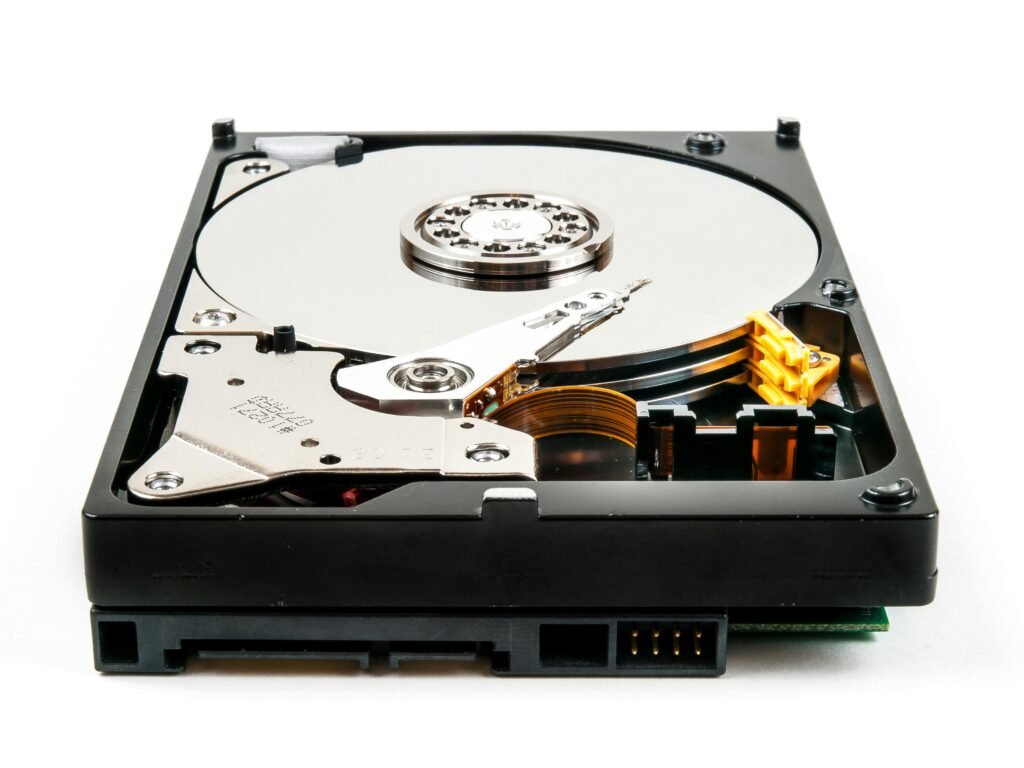
Traditional hard drives (HDDs) use spinning disks and moving parts. SSDs, on the other hand, use flash memory — similar to what’s inside your phone.
The result?
- No moving parts
- Much faster read/write speeds
- Better reliability
- Quieter operation
- Lower power usage
It’s the single biggest performance boost you can give an older computer.
How Much Faster Is an SSD?
The difference is dramatic.
Typical improvements include:
- Boot times drop from 1–3 minutes to 10–20 seconds
- Programs open instantly
- No more freezing or stuttering
- Faster file transfers
- Smoother multitasking
Many customers in Macclesfield tell us their upgraded PC feels “brand new again.”
Signs You Need an SSD Upgrade
If you’re experiencing any of the following, an SSD is likely the perfect fix:
- Slow startup
- Freezing or lagging
- Loud clicking noises from the hard drive
- Programs taking ages to load
- Blue screens or random crashes
- Laptop getting hot during basic tasks
Older HDDs wear out over time — SSDs solve the problem and boost performance.
How Much Does an SSD Upgrade Cost in Macclesfield?
Typical price range: £60–£120 (including parts and installation)
Prices vary depending on:
- SSD size (120GB, 240GB, 480GB, 1TB, etc.)
- Laptop or PC model
- Whether data needs cloning
At Macc Tech Repairs:
We offer clear, upfront pricing and include:
- SSD installation
- Full data transfer (so nothing is lost)
- System optimisation
- Windows updates
- Performance testing
No hidden fees, no jargon — just a faster computer.
What Happens During an SSD Upgrade?
Here’s what you can expect when you bring your device to Macc Tech Repairs:
1. Diagnosis
We check your current drive, system health, and confirm the best SSD option.
2. Data Cloning
Your files, apps, and settings are copied safely to the new SSD.
3. Installation
We fit the SSD and ensure everything is connected and configured correctly.
4. Optimisation
We update Windows, drivers, and settings to maximise speed.
5. Testing
We check boot times, performance, and stability before handing it back.
Most upgrades are completed same day or next day.
SSD vs HDD: What’s the Difference?
| Feature | HDD (Old Style) | SSD (Modern) |
|---|---|---|
| Speed | Slow | Extremely fast |
| Noise | Can be loud | Silent |
| Durability | Prone to failure | Very reliable |
| Heat | Runs warm | Runs cool |
| Boot Time | 1–3 minutes | 10–20 seconds |
| Lifespan | Shorter | Longer |
An SSD is a clear winner in every category.
Will an SSD Upgrade Fix All Performance Issues?
In most cases, yes — but sometimes additional upgrades help too.
You may also benefit from:
- RAM upgrade
- System clean‑up
- Virus removal
- Cooling service
At Macc Tech Repairs, we always give honest advice based on what your device actually needs.
Why Macclesfield Residents Choose Macc Tech Repairs for SSD Upgrades
People trust us because we offer:
- Fast turnaround
- High‑quality SSDs
- Full data transfer
- Clear pricing
- Friendly, local service
- No jargon or upselling
- Repairs for all major brands
We’ve upgraded everything from old family laptops to high‑end gaming PCs — and the results speak for themselves.
Final Thoughts
If your computer is slow, freezing, or struggling with everyday tasks, an SSD upgrade is the most cost‑effective way to bring it back to life. It’s fast, affordable, and makes a huge difference.
For a smooth, reliable upgrade, Macc Tech Repairs is here to help — offering expert SSD installations right here in Macclesfield.